How to Watch Free Movies on Roku: A Guide to International Streaming
Roku devices give you access to a large catalogue of free, ad-supported films without any subscription. If you know which apps to add and how the platform is structured, you can build a solid free movie library, including international and indie cinema that most general streaming platforms don’t carry.
What Makes Roku a Strong Platform for Free Movie Streaming?
The platform is built around its Channel Store, where hundreds of apps can be added at no cost, and The Roku Channel, its own built-in service, comes pre-loaded on every Roku device.
Using Roku also doesn’t require a monthly platform fee. Unlike smart TV ecosystems that push users toward a single app store or bundle, Roku allows apps from competing services to coexist. The result is more free options in one place than most streaming devices offer. Parks Associates has consistently ranked Roku among the most widely adopted streaming platforms in US households, which has made it a priority distribution channel for AVOD services looking for reach.
How Free Ad-Supported Streaming Works on Roku
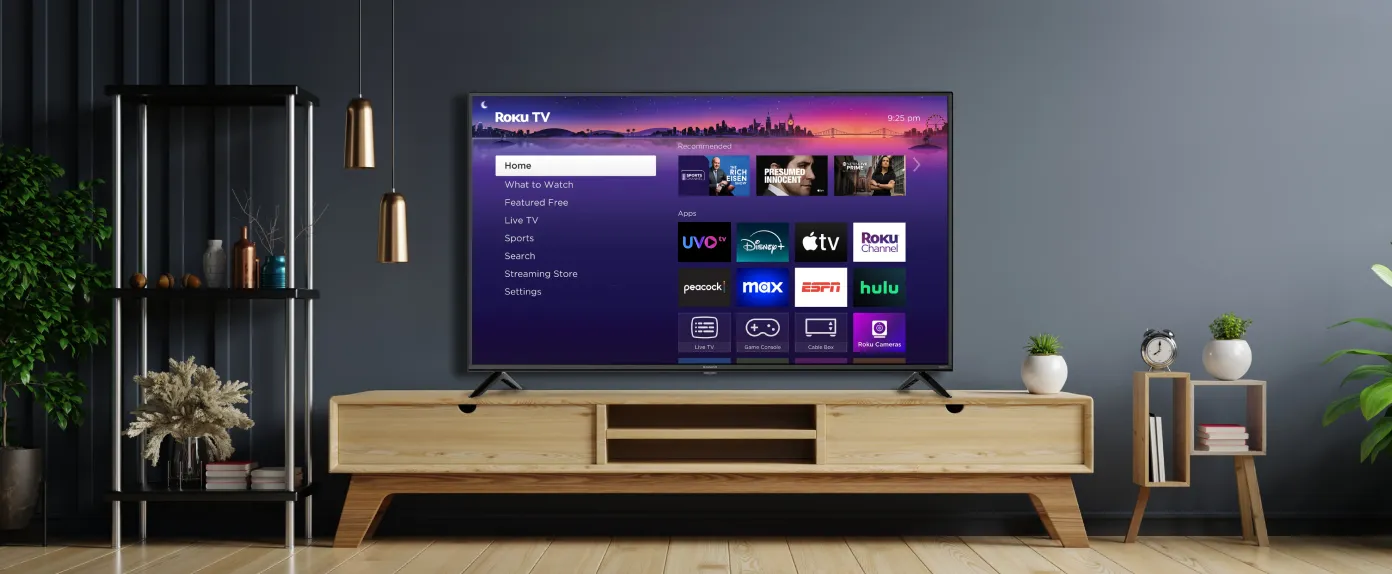
Roku is the platform — the operating system running on your TV or streaming stick. UVOtv is an app that runs on top of it, the same way any app runs on a phone. You find it in the Roku Channel Store, add it in a few seconds, and it sits alongside everything else on your Roku home screen.
The free content on both sides of that relationship is funded by advertising. Rather than paying a monthly fee, you watch short ad breaks, typically 2–4 minutes per 30 minutes of content. Roku takes a share of the ad revenue generated on its platform; UVOtv earns from the ads that run within its app. That revenue covers the cost of licensing the channels and films you’re watching.
This model is called AVOD (ad-supported video on demand). The apps using it —like UVOtv — hold proper content licences, the same as any paid streaming service. The difference is only in how those licences are funded. If you want to understand how that works at the platform level, this breakdown of legal free streaming covers the key distinctions between legitimate services and unlicensed alternatives.
Finding International and Indie Films on Roku for Free with UVOtv
Most large streaming platforms are US-centric in practice. They carry international titles, but they’re not prioritised in recommendations, and finding them takes effort. If you’re specifically looking for world cinema, a dedicated app is more reliable.
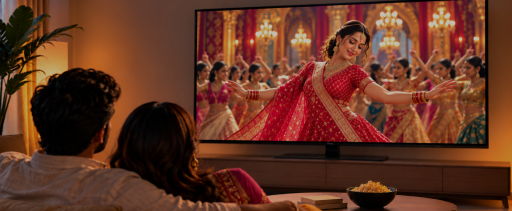
UVOtv is a free streaming platform built specifically for international and diaspora audiences, carrying 700+ live TV channels and on-demand films from regions that most US streaming services don’t cover: India, the Arab World, Africa, Latin America, Ukraine, Pakistan, Morocco, and more.
It’s completely free to use with no credit card or trial period that flips to a paid plan. Like other ad-supported apps on Roku, it runs short ads during content, which is how the service stays free.
Setting it up takes about two minutes. Search “UVOtv” in the Roku Channel Store, add it, create a free account with your email address, and you’re in. Content is organised by region, so if you’re looking for horror movies, Nigerian films, Indian live TV, or Arabic-language channels, you’re not scrolling through a single undifferentiated catalogue to find them.
How to Watch Free Movies on Roku with UVOtv: Step-by-Step Setup
Adding a free app to your Roku device takes less than two minutes.
- From the Roku home screen, select Streaming Channels to open the Channel Store.
- Use the search bar to find the app you want: type ‘UVOtv’ directly, or browse by category.
- Select the app and choose Add Channel.
- The app installs and appears on your home screen. Open it and start watching.
For apps that require a free account, you’ll be asked to sign in or create one before streaming. This requires only an email address and no payment details. Some apps, including The Roku Channel, work without any account at all on Roku hardware.
If you want to add multiple apps at once, it’s faster to use the Roku website (my.roku.com) on a computer, find the apps there, and activate them remotely. They’ll appear on your Roku device automatically.
Tips for Watching Free Movies on Roku
Once UVOtv is installed, a few Roku features make it easier to use alongside the rest of your apps.
Roku’s built-in search pulls results from multiple apps at once. If you have a specific title in mind, search from the home screen rather than within individual apps. The results show every app that carries it, including which ones are free.
Roku’s Save List works across apps, so you can save titles from different free services in one place and come back to them without losing track of what’s queued. You’ll find it under What to Watch on your home screen.
Watch out for channels in the Channel Store that label themselves “free” but restrict most content to subscribers or cable account holders. Check whether the majority of the library is accessible before installing. Genuinely free apps are clear about the ad-supported model in their store descriptions.
If you haven’t added UVOtv yet, it’s free to install from the Roku Channel Store. You can always rely on UVOtv to provide you with free and unlimited access to indie movies and live TV channels from all over the world. Start watching now.
If you’re a TV channel rights holder who wants to expand your reach to diaspora audiences in North America, become a channel partner.
FAQ
Does Roku Offer Free Movies Without a Subscription?
Yes. Roku supports free, ad-supported streaming apps that let you watch movies without a paid subscription. Instead of charging a monthly fee, these apps run short ad breaks during content. UVOtv follows this model, giving viewers free access to international films, indie movies, and live TV channels with no subscription required.
How do I watch free international movies on Roku?
The easiest way is to add a free international streaming app from the Roku Channel Store. Search for UVOtv, select Add Channel, open the app, and create a free account with your email address. Once installed, you can browse international films and live TV by region, including content connected to Africa, India, the Arab World, Latin America, Ukraine, Pakistan, Morocco, and more.
Is UVOtv free on Roku?
Yes. UVOtv is free to use on Roku. There is no subscription fee, no trial period that turns into a paid plan. The service is supported by ads, which help keep international films and live TV channels available at no cost to viewers.
Do free Roku movie apps require an account?
Some do, and some do not. Many free ad-supported apps ask you to create a free account before streaming, usually with only an email address. UVOtv requires a free account, but it does not ask for payment details. Some Roku-supported services may work without an account on Roku devices.
How do I find UVOtv or other free movie apps on Roku?
From your Roku home screen, go to Streaming Channels, open the Channel Store, and use the search bar to look for the app by name. Type UVOtv, select the app, and choose Add Channel. You can also search from the Roku website and add the app remotely to your device.