How to Watch TV Without Cable: A Guide for Cord Cutters
Cutting the cord doesn’t mean giving up your favorite shows, live TV, or sports. Today, you can watch TV without cable subscription using a mix of internet‑based streaming services.
Why More People Are Cutting the Cord?
A decade ago, canceling cable felt like a gamble. Today, it’s the default. By 2025, an estimated 77 million U.S. households had either dropped traditional pay-TV or never subscribed to begin with. Pay-TV penetration, which covered roughly 88% of U.S. TV households in 2010, has fallen to somewhere between 35 and 40%. The cable bundle didn’t lose customers gradually but in waves.
Cost is the most straightforward explanation. Recent analyses put the average cable or satellite bundle close to $188 per month, or around $122 for TV alone when unbundled. The average cord-cutter, by contrast, pays roughly $52 per month across multiple services, according to a 2025 Reviews.org survey. The gap widens further when you consider that the typical cable subscriber watches around 15 channels out of nearly 200, paying for content they never watch.
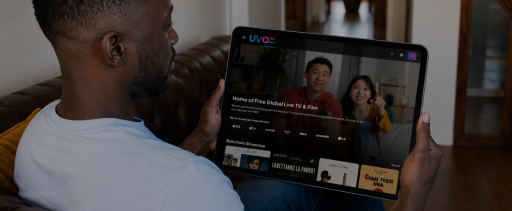
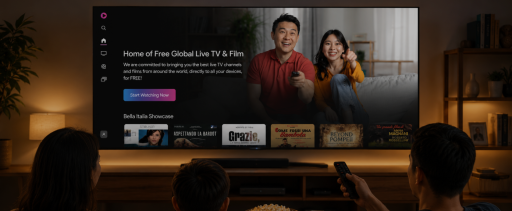
The other driver is harder to put a price on, which is flexibility. Streaming TV services operate on monthly, cancellable terms, and it is now the norm, not a perk. They work across phones, tablets, smart TVs, and laptops. And because the market has expanded far beyond the major networks and mainstream sports packages, viewers can now build a stack of cable alternatives tailored to what they actually watch: live news, independent cinema, international programming, including free global TV through platforms like UVOtv, and sports. The bundle forced everyone to buy the same thing. Streaming lets people buy what they use.
What You Need to Watch TV Without Cable
The one non-negotiable for cord-cutting is a reliable internet connection. According to Netflix, the minimum speed requirements are 3 Mbps for standard definition, 5 Mbps for HD, and 15 Mbps for Ultra HD or 4K, but those figures assume Netflix is the only thing running on your connection.
In a real household, they rarely are. If anyone in the house plays games online or works from home on video calls, build in extra headroom — those activities compete for the same bandwidth as your streams.
Wi-Fi speed and plan speed are also not the same. A router placed poorly, or one that’s a few years old, can cap your effective speeds well below what your internet plan delivers. For living-room streaming devices in particular, a wired Ethernet connection — where possible — is noticeably more stable than Wi-Fi, especially during peak evening hours.
Streaming Device
Once your internet is sorted, you need a way to get streaming apps onto your TV. Many newer smart TVs already have them built in — if yours was made in the last four or five years, it likely runs apps for major services out of the box. If not, an external device plugged into an HDMI port does the same job for a modest upfront cost. The main options are Roku, Amazon Fire TV, Apple TV, and Google Chromecast, each with its own interface but broadly similar in function. Game consoles — Xbox and PlayStation in particular — also double as capable streaming hubs if you already own one.
The main thing to know when choosing: pick a device that supports the streaming services you actually plan to use. Most of the major players work across all of them, but a few apps are platform-exclusive, so it’s worth checking before you buy.
Ways to Watch TV Without Cable
Live TV Streaming Services
If you still want a familiar “channel guide” experience, live TV streaming services—sometimes called virtual cable or vMVPDs—are the closest alternative. They bundle major broadcast networks, cable channels, news, and sports into internet‑delivered packages.
These services usually cost less than a full cable bundle and include perks like cloud DVR and no long‑term contracts. They are often the best answer for people asking how to watch live TV without cable, especially if local channels or live sports are non‑negotiable.
On-Demand Streaming Services
On-demand platforms work differently: no scheduled broadcasts, just a library you watch on your own terms. Most run on monthly subscriptions, and most viewers end up with two or three rather than one.
The mainstream services prioritize their own originals and major-studio libraries. For viewers whose interest runs toward independent, international, or diaspora cinema, dedicated indie film streaming services fill the gap by offering curated libraries of global work the major platforms don’t carry.
Free Streaming Platforms
Free ad-supported streaming carries large catalogues of movies and television at no cost to the viewer — supported by ads rather than subscriptions. The trade-off is straightforward: libraries lean toward unique, niche content and productions being on the market some time, instead of to premium new releases, and you watch ads to access the content without paying..
For international and diaspora audiences in particular, free platforms increasingly carry content that mainstream subscription services don’t prioritize — foreign-language programming, regional cinema, and genre libraries that reflect a wider range of viewing cultures.
Pros and Cons of Cord-Cutting
Pros
The clearest practical advantage is freedom from infrastructure. Cable requires a technician visit, a rental box in every room, and a contract that makes leaving expensive. Streaming runs on hardware you already own — a TV, a phone, a laptop — with no installation appointment and no early termination fee. You can cancel any service on a Tuesday afternoon, and it’s done.
Content flexibility is the other genuine gain. A streaming setup can be tailored to exactly what your household watches — including international, independent, and niche programming that cable bundles rarely carry. That kind of specificity simply wasn’t available before.
Cons
The main frustration for most cord-cutters is live sports. Rights are fragmented across multiple platforms, and getting full coverage of a single sport can mean subscribing to two or three services simultaneously. It’s an area where cable still has a practical edge.
It’s easy to add services gradually until the combined bill starts approaching what cable costs. Subscription creep is the other common pitfall. The flexibility that makes streaming appealing also makes it easy to accumulate more than you need.
Is Cord-Cutting Right for You?
Cord-cutting works best when your service stack actually reflects what you watch. For most people, that means one live TV service for news and sports, one or two on-demand platforms for series and film, and a free service filling the gaps — all for a fraction of a traditional cable bill.
If international TV, diaspora storytelling, and independent film are part of what you’re looking for, UVOtv is worth adding to that stack. UVOtv is built specifically for that gap, with free international TV and film for diaspora audiences in North America.
Start watching International TV and Movies on UVOtv — free, no subscription required, and built specifically for global audiences who want more than the mainstream platforms carry.
FAQs
Is it cheaper to watch TV without cable?
Yes, in most cases. Surveys show the average cable or satellite TV customer pays 120–190 USD per month, while the average streaming viewer spends around 48–75 USD per month on multiple services. The exact savings depend on how many subscriptions you keep, but many households reduce their TV costs by 30–50% after switching.
What equipment do I need to watch TV without cable?
You need three things:
- A stable internet connection (ideally 25 Mbps or higher for HD on more than one screen)
- A streaming‑capable device such as a PC, tablet, mobile phone, smart TV, streaming stick, game console, or set‑top box
- Accounts with the streaming services or free apps you want to use.
Can I watch live sports without a cable subscription?
Often, yes. Many major leagues and events are available through live TV streaming services, league‑specific apps, or broadcaster apps, and some local games can be received free with an over‑the‑air antenna. However, certain regional sports networks and blackout rules still favor traditional pay TV in some markets, so sports fans should double‑check where their must‑watch teams and leagues stream.